Week 01 | Introduction
Tuesday, March 1, 2022
See the course home page for the basic information of the course.
Homework from the first class
Watch these videos:
TouchDesigner Interface
Please note, I’m going to assume that you have watched this before tomorrow, so I will not go through these things in detail. I will only do a short recap and answer any questions you might have.
Introduction by Ben Voigt
This is a very long video, so you probably don’t have time to watch all of it, but watch as much you can or as much as you can handle:
Extra
If you get really excited, you can already start building the project we are going to make as our first real project (Chromatrope):
https://learn.newmedia.dog/courses/audiovisual-studio/tutorials/
That same page has also some external resources (YouTube tutorials etc.). The internet has really good resources for TouchDesigner, please use them.
Wednesday, March 2, 2022
Magic Lanterns
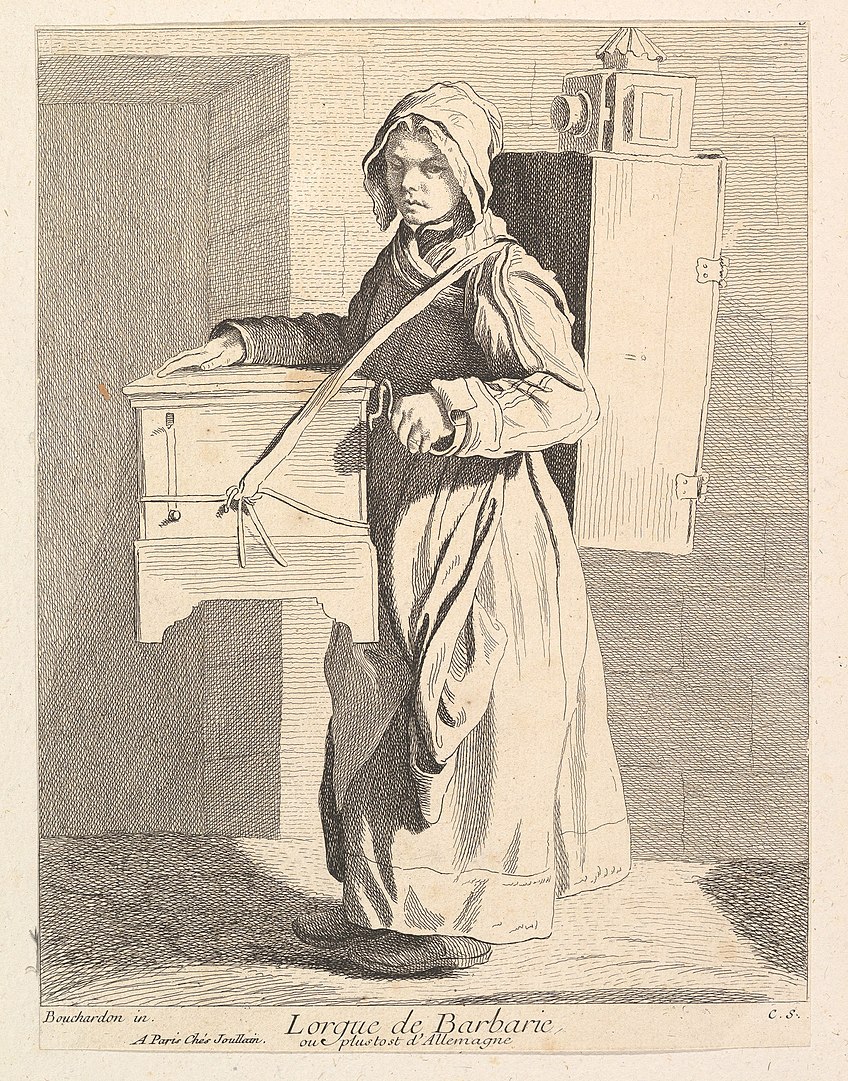 1737 etching/engraving of an organ grinder with a magic lantern on her back by Anne Claude de Caylus (after Edme Bouchardon) Wikipedia


 Exquisite Vessel: Portable and collective immersive cinema experiences by Luis Priace Michavila
Here you can find more details about the mechanical magic lantern slides:
- https://www.luikerwaal.com/newframe_uk.htm?/bewegend1_uk.htm
- https://www.luikerwaal.com/newframe_uk.htm?/chromatroop1_uk.htm
Chromatrope in TouchDesigner
Let’s create a Chromatrope using TouchDesigner and some scanned Magic Lantern Slides.
- Download some images of slides from here: http://lucerna.exeter.ac.uk/set/index.php?language=EN&id=3009241
- Create a system in TouchDesigner where we can composite different layers together, change the speed of the rotation, switch between different images.
- Experiment with adding more features.
This is a collection of videos that covers the full process of Making the Chromatrope example. We will probably not have time to finish the entire thing during the class so you will need to complete it on your own time.